Readable items extracted with estimated calories and macros — grouped by the menu's visible sections, printed numbers read off the page, estimates labeled as estimates, and you review before anything is logged. Updated August 2026.
The short answer
Point your camera at a restaurant menu in BodyDex and it extracts the items it can read — grouped under the menu's own section headers, with printed calorie counts read straight off the page where the menu has them and clearly labeled AI estimates where it doesn't. Sizes like cup vs. bowl collapse into one row with a picker, long menus are searchable, and nothing is logged until you review the results and check off the dishes you actually ordered. It works at chains, local spots, on date night, and on the road. Menu scan is part of BodyDex Premium ($9.99/mo or $79.99/yr, with a 7-day trial); the barcode scanner and manual logging are free.
What a restaurant menu scanner actually has to do
The whole page, not one dish at a time
Single-dish estimators make you photograph and look up each item separately. BodyDex scans the whole page in one shot and returns the items it can read as a checklist — you browse the results like you'd browse the menu, then pick only what you're ordering.
Grouped under the menu's own sections
Results keep the menu's structure. If the page says Appetizers, Bowls, and Sides, the scan groups items under those exact headers in the same order — so finding the dish you're staring at takes seconds, not scrolling.
Printed calories, read off the page
Many chains print calorie counts right on the menu. When a number is printed, BodyDex reads that number instead of guessing, and badges the item “Menu Calories” so you know it came off the page — not from an AI estimate.
One row per dish, sizes inside
Cup or bowl, 6 oz or 11 oz — menus repeat the same dish at different sizes. BodyDex collapses size variants into a single row with a quick picker, and each size carries its own calorie and macro numbers — printed where the menu has them, estimated where it doesn't.
Long menus are searchable
When a scan finds ten or more items, a search box appears. Filter by dish name or section, and anything you've already checked off stays selected while you search.
Knows where you're eating
The scan detects the restaurant's name from the menu when it can, and you can type it in when it can't. Either way it rides along with the dishes you log, so your food log says where the meal came from.
How to scan a restaurant menu in BodyDex
1Open the scanner and pick Menu mode
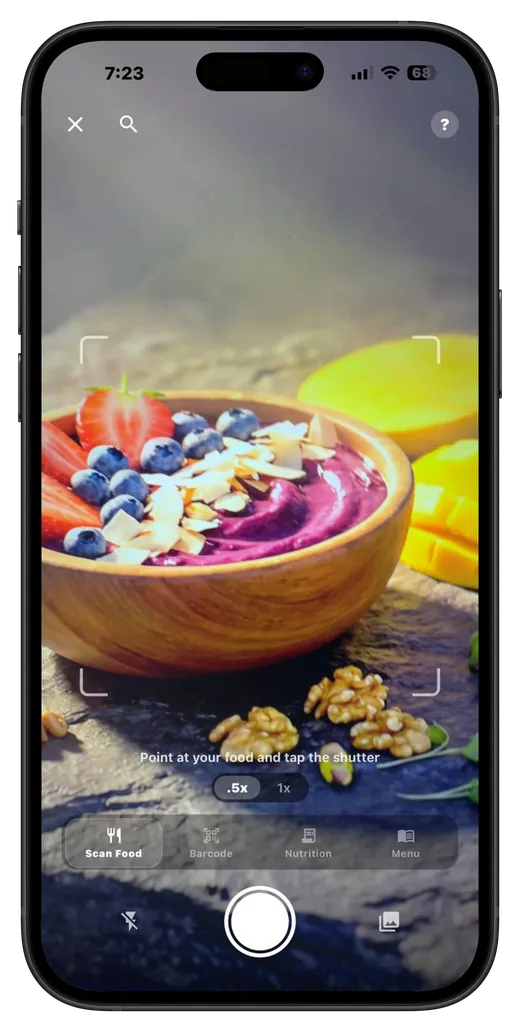
The BodyDex scanner has modes for barcodes, food photos, nutrition labels, and menus. Switch to Menu mode — the prompt reads “Point at a restaurant menu and tap.” You can also pick an existing photo from your camera roll.
2Snap the menu
One photo of the page. BodyDex jumps straight to an analyzing screen showing your shot while the AI extracts the items, section headers, printed calorie counts, and size variants it can read.
3Browse the results by section
Detected dishes appear grouped under the menu's own section headers, each with printed calories where the menu has them and estimated calories and macros where it doesn't. On menus with ten or more items, search by dish name or section to jump straight to what you want.
4Pick what you're actually eating
Nothing is pre-selected. Check off just the dishes you ordered, pick a size where a dish has variants, and watch a running calorie total for your selection. The rest of the menu never touches your log.
5Review and log
Only the dishes you selected move to the review screen, where serving sizes stay editable before anything is saved. Log them and the calories and macros count toward the day you scanned on.
Printed numbers, database matches, and AI estimates — which is which
“Menu Calories”
The calorie count was printed on the menu and BodyDex read it off the page. This is the restaurant's own published number — common at chains — and the most precise thing a menu scan can give you.
“Database Match”
The dish matched an entry in the food database (FatSecret), so its nutrition comes from database records rather than a fresh guess. Useful for well-known items that menus rarely print numbers for.
“AI Estimate”
No printed number, no database match — the AI estimated from the dish name and description, and the badge says so. Kitchens vary, so it's a starting point: adjust the serving on the review screen before you log.
FAQ
Is the menu scanner free?
Menu scan is a Premium feature, like BodyDex's other AI camera modes ($9.99/mo or $79.99/yr, with a 7-day trial). The barcode scanner and manual food logging are free. If you're on the free tier and tap Menu mode, the app shows what the feature does and where to upgrade — nothing is charged from the scanner itself.
Does it work on chain menus that print calories?
Yes — that's where the scan is at its most precise. When a menu prints a calorie number next to a dish, BodyDex reads that number off the page and badges the item “Menu Calories” instead of presenting it as an AI guess. Menus without printed numbers fall back to clearly labeled estimates.
Can I scan a menu board, a PDF, or a photo I took earlier?
Yes. The scanner includes a camera-roll picker, so a photo of a printed menu, a wall board, or a saved menu image all work — as long as the text is readable in the picture. A straight-on, well-lit shot extracts best.
How accurate are the AI estimates?
For dishes with no printed calories and no database match, BodyDex estimates from the dish name and description — and labels the result “AI Estimate” so you never mistake a guess for a printed number. Restaurant portions vary kitchen to kitchen, so treat estimates as a starting point: serving size stays editable on the review screen before anything is logged.
Do I have to log everything the scan finds?
No. The results screen starts with nothing selected. You check off only the dishes you actually ordered, see a running calorie total for your picks, and only those items are logged. Scanning the whole menu adds nothing to your day by itself.
Where does my food log live?
On your device. BodyDex stores your log in a local database on your phone rather than in a cloud account, so what you ate — at home or out — stays with you. See the local-first nutrition tracker guide for the full picture.
Turn a TikTok, Reel, or YouTube cooking video into a recipe with per-serving macros.
Try BodyDex on your next meal out
Scan the menu, pick your dishes, log the meal — with printed calories where the menu has them and honest estimates where it doesn't. On iPhone and Android.